
One calm, gesture-first interface for every screen.
Etesian
Etesian runs on the KDE Plasma desktop, on LineageOS phones and on the web, from one design language. Its influence is the Nokia N9's Swipe UI, re-envisioned for how we use our screens today.
Interactive: swipe sideways to unlock, then tap an app. Swipe in from an edge to minimise it.
KDE Plasma 6.6 and newer
The Etesian desktop on KDE Plasma: the same design language as the phone, on laptops and desktops. It installs for the current user, needs no root for the look, and uninstalling puts your own settings and panels back.
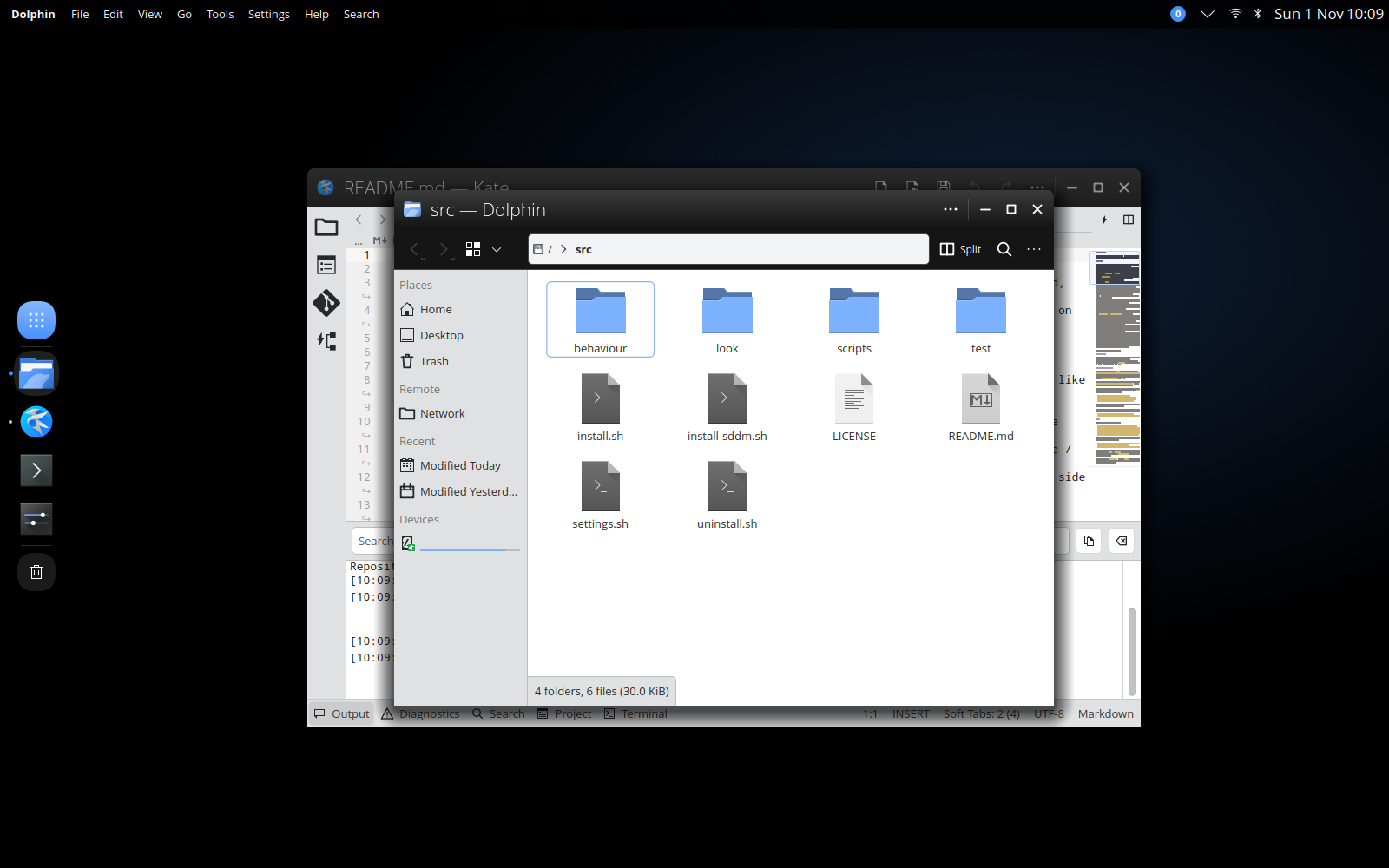
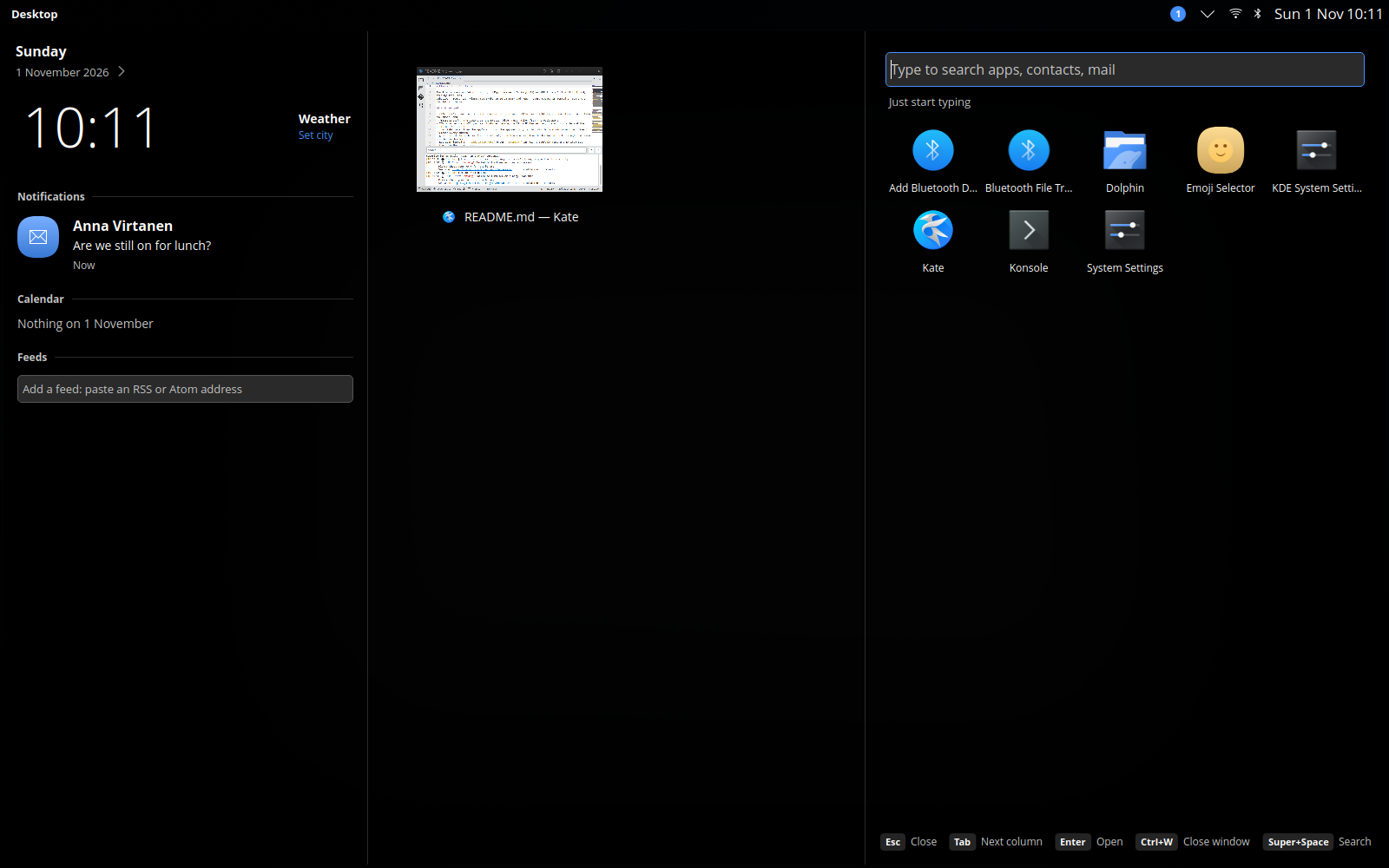
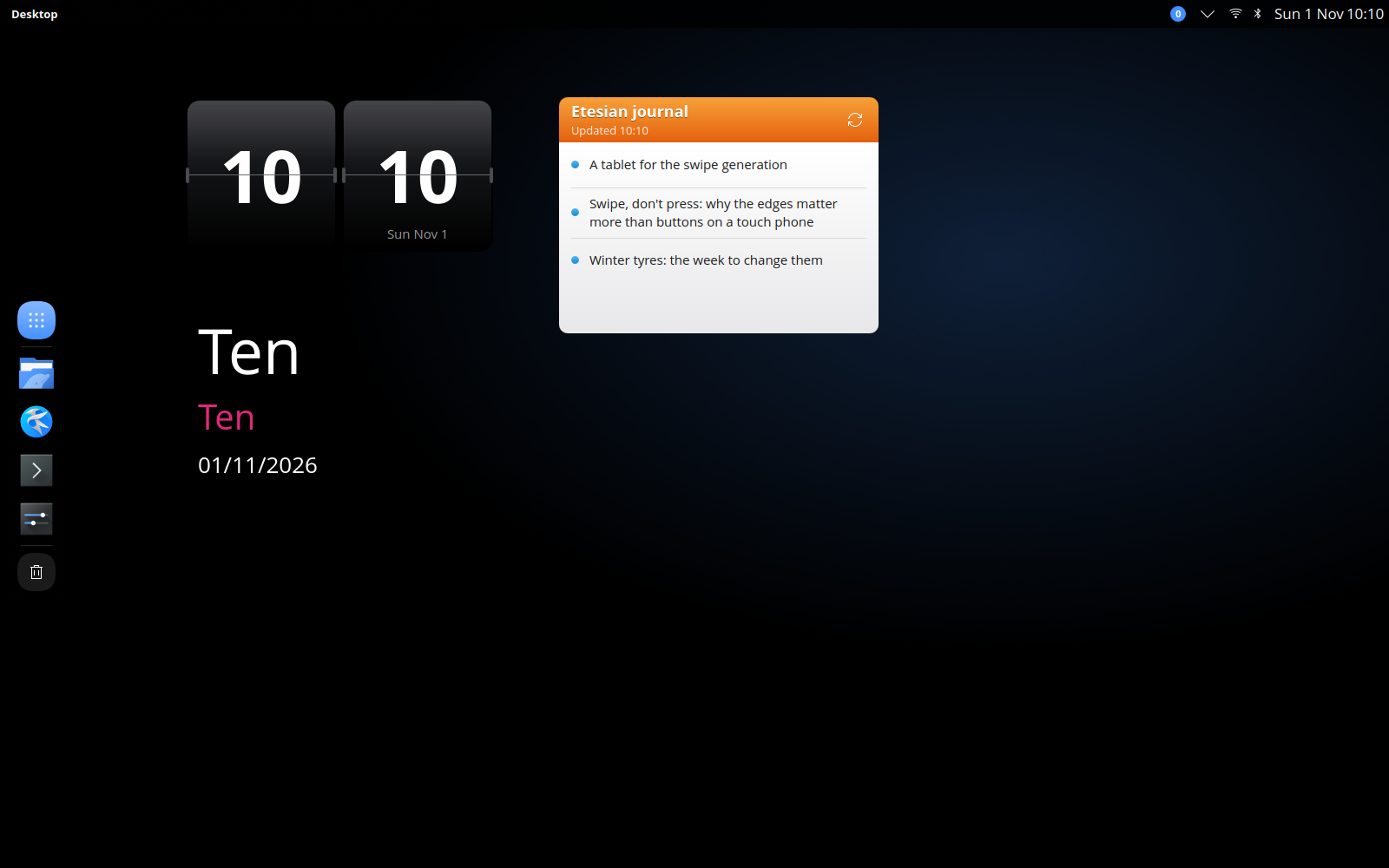
People and mail in search need KDE PIM. The mail widget reads KMail only for now. Apps with toolbars that hold more than file and edit actions keep their own toolbar.
The desktop design Etesian for Plasma follows.
Etesian for LineageOS
No home button, no back button, no clutter. Swipe in from any edge to go home, see everything new in one calm list, and let your content fill the screen. Etesian runs on any phone LineageOS 24 supports, inspired by the Nokia N9's Swipe UI.
There is no home button and no navigation bar. The edges of the screen do the work, the same way on every screen.
Home is three views side by side, plus an optional fourth for widgets. Swipe between them; page dots show where you are.
A large, thin clock and the full date, with notifications as dark translucent cards at the bottom. The newest show in full and the rest stack beneath them. Nothing pops up over the lock screen. The N9’s “More” style is available as an option. Swipe sideways to unlock.
Are we still on for lunch?
Anna Virtanen
2 missed calls
Phone
Everything the N9 did not have is optional and starts switched off, so the phone starts as a pure N9 experience. Each addition sits in Settings on the page of what it changes, with a live preview of that part of the phone at the top. Try the Lock screen page here. N9-style replacements keep every option of the stock Android screens they replace.
Every page of Settings shows what it changes before you change it.
A boot animation and a startup sound made for Etesian, in the spirit of the N9 rather than copied from it, set the tone before the lock screen appears.
The Etesian design language
Etesian is a way of designing as much as a piece of software. Its influence is the Nokia N9's Swipe UI, re-envisioned for today’s screens.
The design language is built from careful study of the N9 (2011): its gestures, proportions and behaviour. Where the N9 had no answer, for larger screens, a pointer or a keyboard, the gaps are filled in the same spirit. Fonts, icons and sounds are open or made for the project.
N9-style apps
Each core app follows the same rules: the app’s own colour on its main header, plain sub pages, a bottom toolbar with Back on the left, squircle icons and light, large type.
Home-screen widgets
Widgets are lit objects: glass, brushed metal and paper, each lit from the top. They sit on a four-column grid and resize in whole cells.
Web
The design language is a Vue 3 component library, so anything on the web can look and work like Etesian.
Status
Etesian is being built one part at a time. There are no downloads and no release dates yet.